
Multipass虚拟机管理器
软件介绍
Multipass虚拟机管理器是一款轻量级的虚拟机的管理工具,辅助程序员来管理自身的虚拟机,一键辅助你完成Ubuntu环境上面构建,轻松的打造属于你自己的开发环境,让你在虚拟机上面更好的完成开发的内容,快来西西下载Multipass虚拟机管理器!
Multipass虚拟机管理器
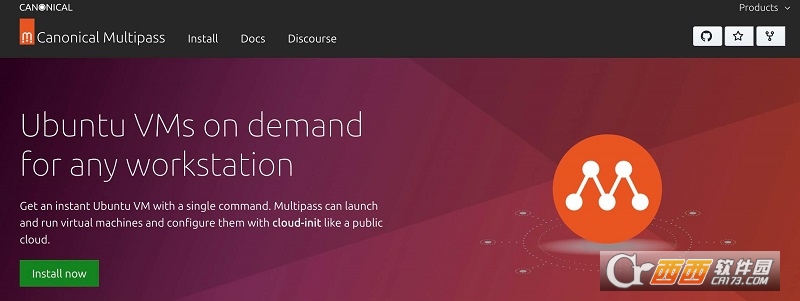
Multipass 是一款适用于 Linux、Windows 和 macOS 的轻量级虚拟机管理器。它专为开发人员设计,只需一个命令,他们就能获得全新的 Ubuntu 环境。它在 Linux 上使用 KVM,在 Windows 上使用 Hyper-V,在 macOS 上使用 QEMU,以最小的开销运行虚拟机。它还可以在 Windows 和 macOS 上使用 VirtualBox。Multipass 会为你获取镜像并保持更新。
由于它支持云启动的元数据,因此你可以在笔记本电脑或工作站上模拟小型云部署。
使用说明
查找可用图像
$ multipass find
Image Aliases Version Description
core core16 20200213 Ubuntu Core 16
core18 20200210 Ubuntu Core 18
16.04 xenial 20200721 Ubuntu 16.04 LTS
18.04 bionic,lts 20200717 Ubuntu 18.04 LTS
20.04 focal 20200720 Ubuntu 20.04 LTS
daily:20.10 devel,groovy 20200721 Ubuntu 20.10
启动当前 Ubuntu LTS 的新实例
$ multipass launch ubuntu
Launching dancing-chipmunk...
Downloading Ubuntu 18.04 LTS..........
Launched: dancing chipmunk
查看正在运行的实例
$ multipass list
Name State IPv4 Release
dancing-chipmunk RUNNING 10.125.174.247 Ubuntu 18.04 LTS
live-naiad RUNNING 10.125.174.243 Ubuntu 18.04 LTS
snapcraft-asciinema STOPPED -- Ubuntu Snapcraft builder for Core 18
了解有关您刚刚启动的 VM 实例的更多信息
$ multipass info dancing-chipmunk
Name: dancing-chipmunk
State: RUNNING
IPv4: 10.125.174.247
Release: Ubuntu 18.04.1 LTS
Image hash: 19e9853d8267 (Ubuntu 18.04 LTS)
CPU(s): 1
Load: 0.97 0.30 0.10
Disk usage: 1.1G out of 4.7G
Memory usage: 85.1M out of 985.4M
连接到正在运行的实例
$ multipass shell dancing-chipmunk
Welcome to Ubuntu 18.04.1 LTS (GNU/Linux 4.15.0-42-generic x86_64)
...
不要忘记注销(或 Ctrl-D),否则您可能会发现自己一路走下 Inception 级别...;)
从外部在实例内部运行命令
$ multipass exec dancing-chipmunk -- lsb_release -a
No LSB modules are available.
Distributor ID: Ubuntu
Description: Ubuntu 18.04.1 LTS
Release: 18.04
Codename: bionic
停止实例以节省资源
$ multipass stop dancing-chipmunk
删除实例
$ multipass delete dancing-chipmunk
现在它会显示为已删除:
Name State IPv4 Release
snapcraft-asciinema STOPPED -- Ubuntu Snapcraft builder for Core 18
dancing-chipmunk DELETED -- Not Available
当你想彻底摆脱它时:
$ multipass purge
得到帮助
multipass help
multipass help <command>
Multipass虚拟机管理器特别说明
1. 安装前请确保系统已启用硬件虚拟化技术,否则无法创建实例。2. 首次运行需下载基础镜像,建议在网络稳定环境下进行以避免中断。3. 若启动失败,请检查端口冲突或尝试以管理员身份运行软件。4. 定期执行multipass update命令以保持版本最新,提升兼容性与安全性。5. 资源占用较高时,可通过multipass delete清理闲置实例释放内存与磁盘空间。
详细信息
| 版本号 | v1.12.2 电脑版 |
| 软件语言 | 中文 |
| 软件类型 | 国产软件 |
| 授权方式 | 免费软件 |
| 文件大小 | 29.2M |
| 运行环境 | WinAll, WinXP, Win7, win10 |
| 更新时间 | 2026-10-09 |
相关软件